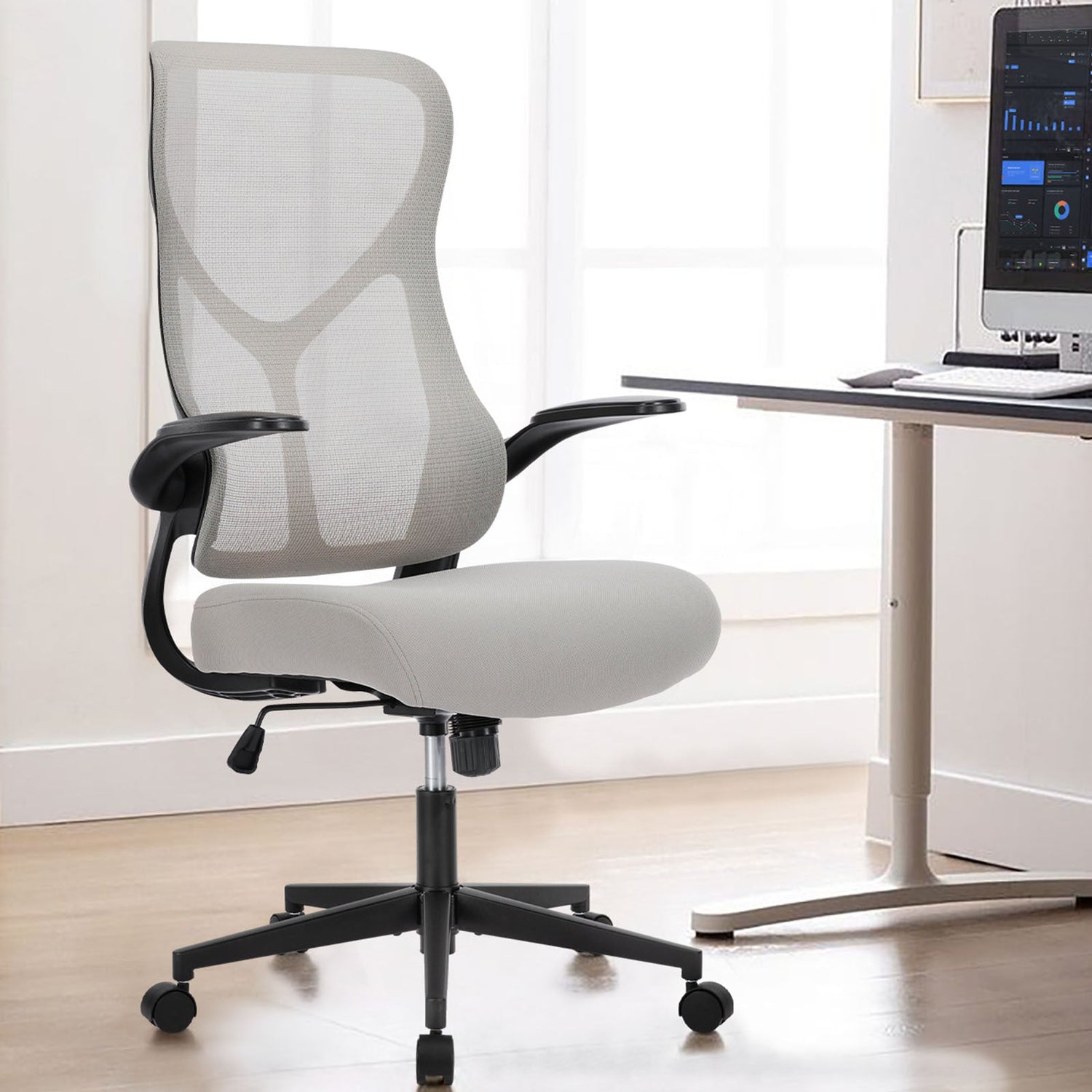
Back pain transforms every workday into a struggle. When your chair fails to support your spine properly, those eight hours at your desk become a source of chronic discomfort that follows you home, affects your sleep, and diminishes your quality of life. The wrong chair does more than cause discomfort; it actively worsens existing conditions and creates new problems.
Here lies the challenge: the term "ergonomic" appears on countless chairs that offer minimal actual support. Marketing claims mean nothing when your lower back aches by noon. What matters is whether a chair delivers measurable relief through proper spinal alignment, adjustable lumbar support, and features that address your specific condition.
The best ergonomic office chair for back pain provides adjustable lumbar support (both height and depth), seat depth control to prevent thigh pressure, breathable materials to reduce muscle tension, and recline with tilt tension for micro-movements throughout the day.
For lower back pain specifically, the Koorbiir C300 delivers superior lumbar support with advanced cushioning. For all-day relief during long hours, the S101 combines mesh breathability with complete adjustability. Budget-conscious sufferers find genuine relief with the C200, which offers enhanced lumbar features at an accessible price point.
All Koorbiir chairs carry chiropractor endorsement and BIFMA certification for verified ergonomic quality.
Quick Picks: Best Chairs for Back Pain
|
Pain Type |
Best Pick |
Key Advantage |
|
Lower Back Pain |
Superior lumbar system, advanced cushioning |
|
|
Long-Hour Support |
Mesh breathability, full adjustability |
|
|
Value Relief |
Enhanced lumbar at a budget price |
|
|
Maximum Support |
Complete adjustment suite for severe cases |
|
|
Pain Prevention |
Full adjustability before problems develop |
All picks feature BIFMA/SGS certification and chiropractor-endorsed ergonomic design.
Best Ergonomic Chairs for Back Pain by Condition
Best for Lower Back Pain: Koorbiir C300
Ideal for: Chronic lumbar pain, disc issues, prolonged sitting discomfort
The C300 addresses lower back pain through its superior lumbar system, which offers both height and depth adjustments. Advanced cushioning provides consistent support throughout the day, maintaining its shape without bottoming out or losing its integrity over months of use.
Why it works: The lumbar pad positions precisely at your spine's inward curve, providing the contact needed to prevent rounding and compression. Seat depth adjustment ensures proper thigh support without forcing you away from the lumbar zone.
Additional benefits: Quiet mechanisms for professional environments, quality construction for years of daily use.
Best for Long-Hour Support: Koorbiir S101
Ideal for: 8+ hour workdays, warm environments, sustained focus work
Mesh back construction prevents the heat buildup that increases muscle tension during extended sessions. Complete adjustability covers seat height, depth, lumbar positioning, 3D armrests, and recline with tilt tension control.
Why it works: Temperature regulation keeps muscles relaxed while full adjustability addresses multiple pain sources simultaneously. BIFMA and SGS certification confirms quality construction for heavy daily use.
Additional benefits: Breathability is particularly valuable for those whose back pain worsens with heat and sweating.
Best Value for Back Relief: Koorbiir C200
Ideal for: Budget-conscious sufferers, moderate pain, first ergonomic upgrade
Enhanced lumbar adjustment (height and depth) delivers genuine relief at an accessible price point. Quality cushioning and space-efficient design fit smaller home offices without sacrificing support.
Why it works: The C200 proves that effective back pain relief does not require premium pricing. Proper lumbar positioning combined with seat depth adjustment addresses the two most critical factors for lower back support.
Additional benefits: Current $100 savings make this an exceptional value for quality ergonomic support.
Best Maximum Adjustability: Koorbiir S102
Ideal for: Severe or complex pain, multiple problem areas, maximum customization needs
Every adjustment you could need comes standard: seat height and depth, lumbar height and depth, 4D armrests, and recline with full tension control. Premium materials built for years of intensive daily use.
Why it works: Complex back pain often involves multiple contributing factors. The S102 allows you to address lumbar support, neck positioning, arm placement, and movement patterns, all independently adjustable.
Additional benefits: Professional appearance for video calls, investment-level durability.
Best for Pain Prevention: Koorbiir S400
Ideal for: Those without current pain, proactive ergonomic upgrade, and budget-conscious prevention
Full adjustability at budget pricing helps you maintain proper posture before problems develop. Why wait for pain when proper support costs less than treating chronic conditions?
Why it works: Prevention requires the same features as treatment, an adjustable lumbar, proper seat depth, and armrest positioning. The S400 delivers these at an accessible price point.
For those who also game extensively, our guide on the best ergonomic gaming chairs covers options that handle both work and play sessions.
Feature Comparison Table
|
Feature |
C200 |
S101 |
C300 |
S102 |
|
Lumbar Adjust |
Height + Depth |
Height + Depth |
Advanced |
Full Suite |
|
Seat Depth |
Adjustable |
Adjustable |
Adjustable |
Adjustable |
|
Armrests |
3D |
3D |
3D |
4D |
|
Material |
Foam |
Mesh |
Premium Foam |
Premium |
|
Best For |
Value |
Long Hours |
Lower Back |
Maximum Support |
|
Certification |
BIFMA, SGS |
BIFMA, SGS |
BIFMA, SGS |
BIFMA, SGS |
Why Sitting Causes Back Pain (And How the Right Chair Helps)
Understanding why sitting hurts your back helps you choose a chair that actually provides relief, not just comfort claims.
Spinal Alignment Collapse
Your spine maintains a natural S-curve when standing. Sitting, especially in poorly designed chairs, flattens this curve, placing excessive pressure on lumbar discs and surrounding muscles. Without proper support, your lower back rounds forward, compressing vertebrae and straining soft tissue.
Lumbar Curve Deterioration
The lumbar region (lower back) curves inward naturally. Standard chairs ignore this curve entirely, leaving a gap between your lower back and the backrest. Your muscles work overtime to compensate, leading to fatigue, strain, and eventually chronic pain.
Pressure Point Problems
Poorly distributed weight creates pressure points on your thighs and buttocks. This restricts blood flow, causes numbness, and forces your body into compensating postures that stress your spine.
Static Sitting Damage
Remaining motionless for hours deprives spinal discs of nutrient flow. Discs require movement to absorb fluids and maintain health. Locked-position sitting accelerates disc degeneration.
The solution: A properly designed ergonomic chair maintains your natural spinal curve, distributes weight evenly, and encourages micro-movements that keep discs healthy.
Key Features That Actually Relieve Back Pain
Not all "ergonomic" features deliver equal value for back pain sufferers. Focus your evaluation on these high-impact elements.
Adjustable Lumbar Support (Height AND Depth)
This single feature determines whether a chair helps or hurts your lower back.
Height adjustment: positions the lumbar pad at YOUR specific spine curve, not where manufacturers assume it should sit. Everyone's lumbar region falls at a slightly different height.
Depth adjustment: controls how firmly the support presses into your back. Some conditions require gentle support; others need firmer contact to maintain proper alignment.
Red flag: Chairs with fixed lumbar positions fail most body types. If you cannot adjust both height and depth, the chair cannot truly fit your spine.
Seat Depth Adjustment
Proper seat depth prevents thigh compression while supporting your full upper leg.
The test: When seated with your back against the lumbar support, you should have 2-3 fingers of space between the seat edge and the back of your knees.
Why it matters: Seats too deep compress the area behind your knees, restricting circulation and forcing you to scoot forward, abandoning your lumbar support entirely. Seats too shallow leave thighs unsupported, increasing pressure on your lower back.
Waterfall edge: A curved front edge reduces pressure on thighs, particularly beneficial for sciatica sufferers.
Recline and Tilt Tension
Static sitting damages spinal discs. Proper recline mechanics encourage the micro-movements that maintain disc health.
Tilt tension control lets you adjust resistance to match your body weight. Too loose and you fight to stay upright. Too tight and you remain locked in position.
Synchronous tilt moves the seat and backrest together, maintaining proper spine alignment throughout the recline motion.
Armrest Positioning
Improperly positioned armrests create shoulder hunching and neck strain that radiates down to your back.
3D armrests: adjust height, width, and pivot angle.
4D armrests: add forward/backward movement for precise positioning.
Proper setup: Shoulders relaxed (not shrugged), elbows at approximately 90 degrees, forearms parallel to desk surface.
Breathable Materials
Heat buildup increases muscle tension, worsening back pain during long sessions.
Mesh backs: promote airflow, keeping muscles relaxed.
Quality foam: maintains support without trapping heat when properly designed.
For comprehensive guidance on evaluating all chair features, our guide on how to choose an ergonomic chair covers the complete selection criteria.
How to Set Up Your Chair for Back Pain Relief
Even the best chair fails if improperly adjusted. Follow this sequence for maximum pain relief.
Step 1 - Seat Height: Feet flat on floor, thighs parallel to ground. Knees at approximately 90 degrees.
Step 2 - Seat Depth: Adjust until 2-3 fingers fit between the seat edge and the back of the knees. Your back should remain in contact with the lumbar support.
Step 3 - Lumbar Height: Position the lumbar pad at the inward curve of your lower back, typically just above your belt line.
Step 4 - Lumbar Depth: Adjust tension until support feels firm but comfortable. You should feel contact without pressure pain.
Step 5 - Armrests: Position at desk height with shoulders relaxed. Elbows at 90 degrees, forearms parallel to the work surface.
Step 6 - Recline Tension: Set resistance to match your body weight. You should be able to recline smoothly without effort or falling backward.
Reassess weekly: Your optimal settings may shift as your body adapts and pain patterns change.
Features to Avoid (What Makes Back Pain Worse)
Some chair features actively worsen back pain:
- Fixed lumbar position: cannot match your specific spine curve
- No seat depth adjustment: Forces a compromise between lumbar contact and thigh support
- Locked recline: prevents micro-movements that maintain disc health
- Missing certifications: No verification of ergonomic claims
- Removable lumbar pillows: Shift out of position, flatten over time
Final Thoughts
Back pain demands more than marketing claims; it requires chairs engineered for actual spinal support. Focus on adjustable lumbar (height and depth), proper seat depth, and verified certifications. Match your chair to your specific condition, adjust it properly, and give your body time to adapt.
Ready to find relief? Browse our complete ergonomic chair collection featuring chiropractor-endorsed options across all price points. Check current sale prices for additional savings. Free shipping and installation are included across the US, because proper setup matters for pain relief.
Frequently Asked Questions
Do ergonomic chairs really help with back pain?
Yes, when properly designed and adjusted. Chairs with adjustable lumbar support, seat depth control, and proper certifications provide measurable relief. Chairs labeled "ergonomic" without these features often worsen pain.
How much should I spend on a chair for back pain?
Effective relief starts around $200-$250 for chairs with genuine lumbar adjustability. Mid-range options ($350-$400) offer complete feature sets. Premium investment ($500+) provides maximum adjustability for severe or complex conditions.
Can a chair fix chronic back pain?
A proper chair significantly reduces strain and prevents worsening. However, chronic pain often requires multiple interventions, chair setup, posture habits, movement breaks, and sometimes professional treatment. The right chair supports recovery; it cannot replace comprehensive care.
Mesh or foam for back pain?
Both work when properly designed. Mesh promotes airflow and reduces heat-related muscle tension. Foam provides cushioning for pressure-sensitive conditions. Your climate, pain type, and personal preference determine the best choice.
What do chiropractors recommend?
Chiropractors emphasize adjustable lumbar support (both height and depth), proper seat depth, and certifications that verify ergonomic claims. All Koorbiir ergonomic chairs carry chiropractor endorsement for spinal health.


Leave a comment
This site is protected by hCaptcha and the hCaptcha Privacy Policy and Terms of Service apply.