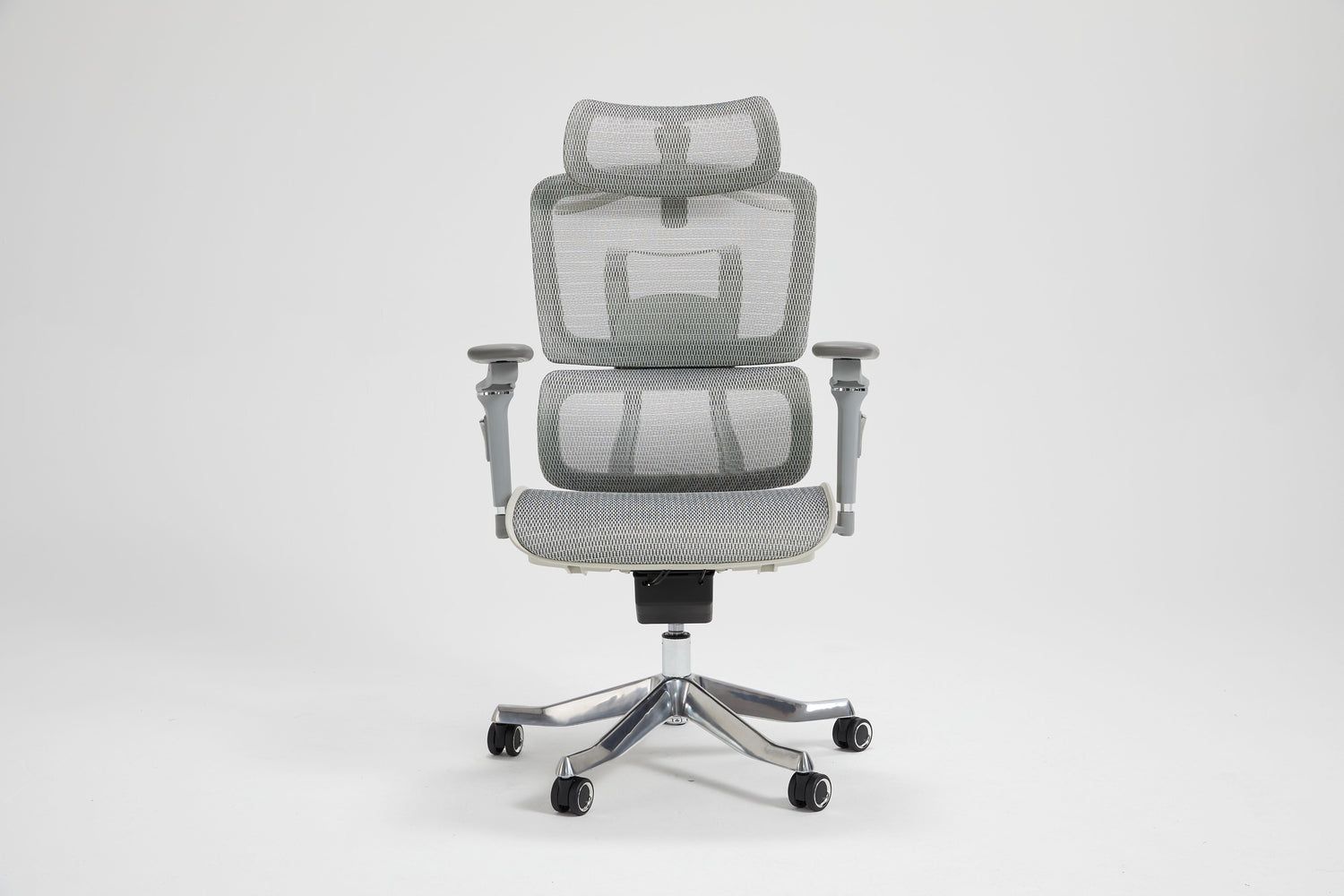
Sitting for eight or more hours a day takes a toll on your body. Back pain, neck tension, and fatigue become constant companions when your chair fails to support proper posture. The solution seems simple: buy an ergonomic chair. But walk into any furniture store or browse online, and you will find hundreds of chairs labeled "ergonomic" with wildly different features and prices.
Here is the truth: the word "ergonomic" has no regulation. Any manufacturer can slap that label on their product. What actually matters is whether a chair adapts to YOUR body, not whether your body adapts to the chair.
To choose an ergonomic chair, prioritize adjustability over brand names or aesthetics. Focus on five key features: seat height adjustment, seat depth adjustment, adjustable lumbar support (both height and depth), armrest adjustability (3D or 4D), and backrest recline with tilt tension control. Test any chair using the fist test for seat depth, flat foot test for height, elbow test for armrests, and lumbar test for back support. A chair that passes all four tests and fits your body type will serve you well for years.
What Actually Makes a Chair Ergonomic?
An ergonomic chair supports your body's natural alignment during prolonged sitting. It maintains the spine's natural S-curve, promotes healthy circulation, and allows micro-movements throughout the day.
The difference between a regular office chair and a truly ergonomic one comes down to adjustability. A standard chair might let you change the height. A proper ergonomic chair lets you customize seat depth, lumbar position, armrest height and width, and recline tension, all to match your specific body dimensions.
Price alone does not guarantee ergonomic quality. A $200 chair with full adjustability will serve you better than a $500 chair with limited customization options. The goal is finding a chair that moves with you, supports you, and prevents the strain that comes from forcing your body into a fixed position.
The 5 Non-Negotiable Features to Evaluate
1. Seat Height Adjustment
Every ergonomic chair needs a pneumatic lever for height adjustment. The standard range falls between 16 to 21 inches, accommodating most body types.
What to check: When seated, your feet should rest flat on the floor with knees at a 90-degree angle or slightly below hip level. If your feet dangle or your knees rise above your hips, the height range does not work for you.
Why it matters: Proper seat height forms the foundation of good posture and healthy leg circulation.
2. Seat Depth Adjustment
This feature gets overlooked more than any other, yet it dramatically affects comfort and circulation.
What to check: Look for a sliding seat pan mechanism. When you sit with your back against the backrest, you should have a 2-3 finger gap between the seat edge and the back of your knees. A waterfall (curved front edge reduces pressure on your thighs.
Why it matters: A seat that is too deep compresses your thighs and cuts off circulation. Too shallow, and your thighs lack support.
3. Lumbar Support (Height AND Depth Adjustable)
This single feature determines whether you end your workday with a healthy back or chronic pain.
What to check: The lumbar support should move up and down to align with your lower back curve AND adjust inward and outward to control firmness. Fixed lumbar positions fail most body types because everyone's spine curves differently.
Why it matters: Chiropractors consistently identify adjustable lumbar support as the most important feature for spinal health during extended sitting.
4. Armrest Adjustability (3D or 4D)
Your arms need proper support to prevent shoulder hunching and wrist strain.
What to check: At a minimum, armrests should adjust in height and width. Better chairs offer 3D adjustment (height, width, pivot) or 4D (adding forward/backward movement). When properly set, your shoulders should stay relaxed, not shrugged up or pushed down, with elbows resting at approximately 90 degrees.
Why it matters: Poor arm positioning creates a chain reaction of tension through your shoulders, neck, and upper back.
5. Backrest Recline and Tilt Tension
Staying locked in one position all day strains your spine. Your chair should encourage movement.
What to check: Look for adjustable recline (100-110 degrees works well for most tasks), lockable positions, and tilt tension control that matches your body weight. The backrest should move with you, not fight against you.
Why it matters: Micro-movements throughout the day reduce spinal pressure and prevent the stiffness that comes from static sitting.
Bonus: Headrest
A headrest benefits those who recline frequently, participate in video calls, or experience neck strain. For forward-focused typing work, headrests remain optional. If you choose one, make sure it adjusts in both height and angle.
Match the Chair to Your Body
Different bodies need different fits. A chair perfect for someone five feet tall will fail someone over six feet.
Petite Users (Under 5'4"): Look for lower minimum seat height, shallower seat depth, and a smaller lumbar zone. The most common problem: feet dangling and seats too deep.
Tall Users (Over 6'0"): Seek a higher seat height range, a deeper seat pan, and taller backrest. The most common problem: knees rising above the hips and inadequate back coverage.
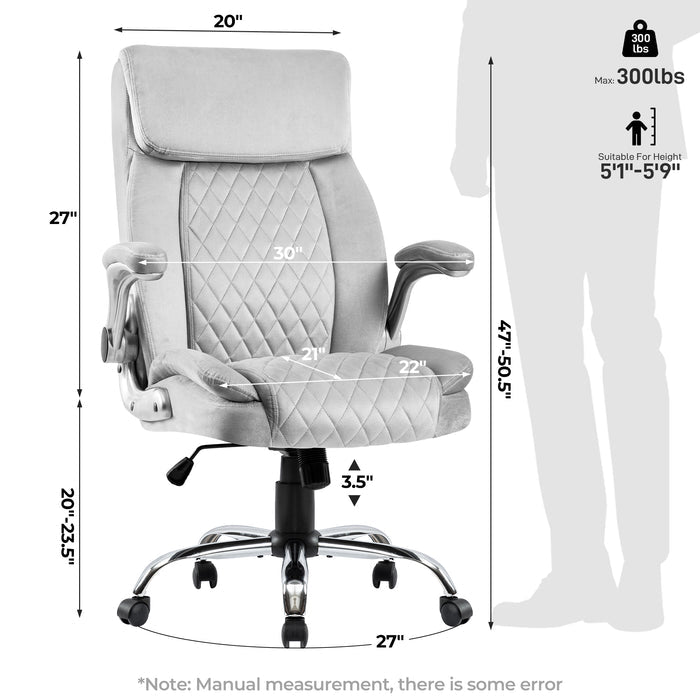
Broader Build: Prioritize wider seat pans (19 inches or more), sturdy 5-point bases, and higher weight capacity. The most common problem: armrests are too narrow and restrictive seat width.
How to Test an Ergonomic Chair: The 90-Second Method
Whether testing in a showroom or evaluating a chair at home, use these four quick tests:
The Fist Test (Seat Depth): Sit with your back fully against the backrest. Can you fit a clenched fist between the seat edge and the back of your calf? Pass means proper depth.
The Flat Foot Test (Seat Height): Adjust height until your feet rest flat on the floor. Are your thighs parallel to the ground or angled slightly downward? Pass means correct height.
The Elbow Test (Armrests): Rest your arms on the armrests naturally. Are your shoulders relaxed with elbows at roughly 90 degrees? Pass means proper arm support.
The Lumbar Test (Back Support): Place your palm between your lower back and the chair. Does the support contact your spine's inward curve? Pass means the lumbar is properly positioned.
Time-based tip: Spend at least 10-15 minutes in any chair before deciding. Most discomfort reveals itself within the first week of regular use.
Materials and Build Quality
Mesh vs Foam: Mesh promotes airflow and works well in warmer environments or for those who run hot. High-density foam offers more cushioning and will not flatten for 3+ years if quality is decent. Leather looks executive but breathes less; quality varies dramatically by price point.
Base and Casters: A 5-point base provides stability and should be considered mandatory. Match your casters to your floor: hard wheels for carpet, soft rubberized wheels for hardwood or tile.
Certifications: BIFMA certification indicates the chair meets durability and safety standards. SGS certification for the gas lift confirms quality height adjustment mechanisms. These certifications separate legitimate ergonomic chairs from marketing-only products.
Budget Guide: What to Expect
|
Budget Range |
What You Get |
|
Under $200 |
Basic height adjustment, limited lumbar options, and shorter lifespan |
|
$200-$400 |
Good adjustability, quality lumbar support, decent materials |
|
$400-$700 |
Full adjustment suite, premium materials, better warranty |
|
$700+ |
Maximum customization, premium build, longest lifespan |
The mid-range ($300-$500) hits the sweet spot for most office workers, full adjustability without the premium price tag.
Investment perspective: A $400 chair used 8 hours daily for 5 years costs roughly $0.04 per hour. Your spine has no warranty. Your chair should.
Browse our ergonomic chair collection for BIFMA-certified options across all budget ranges.
Common Mistakes to Avoid
- Choosing aesthetics over adjustability
- Ignoring your desk height (chair and desk must work together)
- Skipping the weight capacity check
- Buying without a return policy
- Assuming the "ergonomic" label guarantees quality
Important note: Ergonomic chairs may feel unfamiliar initially if your body has adapted to poor posture. Give yourself 1-2 weeks to adjust. However, persistent pain or numbness after two weeks signals wrong fit, not an adjustment period.
Final Thoughts
The right ergonomic chair adapts to you, not the other way around. Focus on adjustability, test thoroughly using the four-point method, and choose based on fit rather than brand names or marketing claims. Your body will thank you for every hour you spend in a chair that actually supports it.
Ready to find your fit? Explore our ergonomic chair collection or contact our team for personalized guidance. With over two decades of helping American office workers find proper seating solutions, we understand that the right chair makes all the difference.
Frequently Asked Questions
What feature matters most in an ergonomic chair?
Adjustable lumbar support ranks as the most critical feature. It maintains your spine's natural curve and prevents lower back pain during extended sitting.
How much should I spend?
Quality ergonomic chairs with full adjustability start around $200-$300. For daily use exceeding 6 hours, investing $300-$500 provides the best balance of features and durability.
Can a bad chair cause health problems?
Yes. Prolonged poor posture leads to chronic back pain, neck strain, shoulder tension, reduced circulation, and headaches.
Do I need a headrest?
Headrests benefit users who recline frequently or take video calls. For forward-focused work, they remain optional.

Leave a comment
This site is protected by hCaptcha and the hCaptcha Privacy Policy and Terms of Service apply.