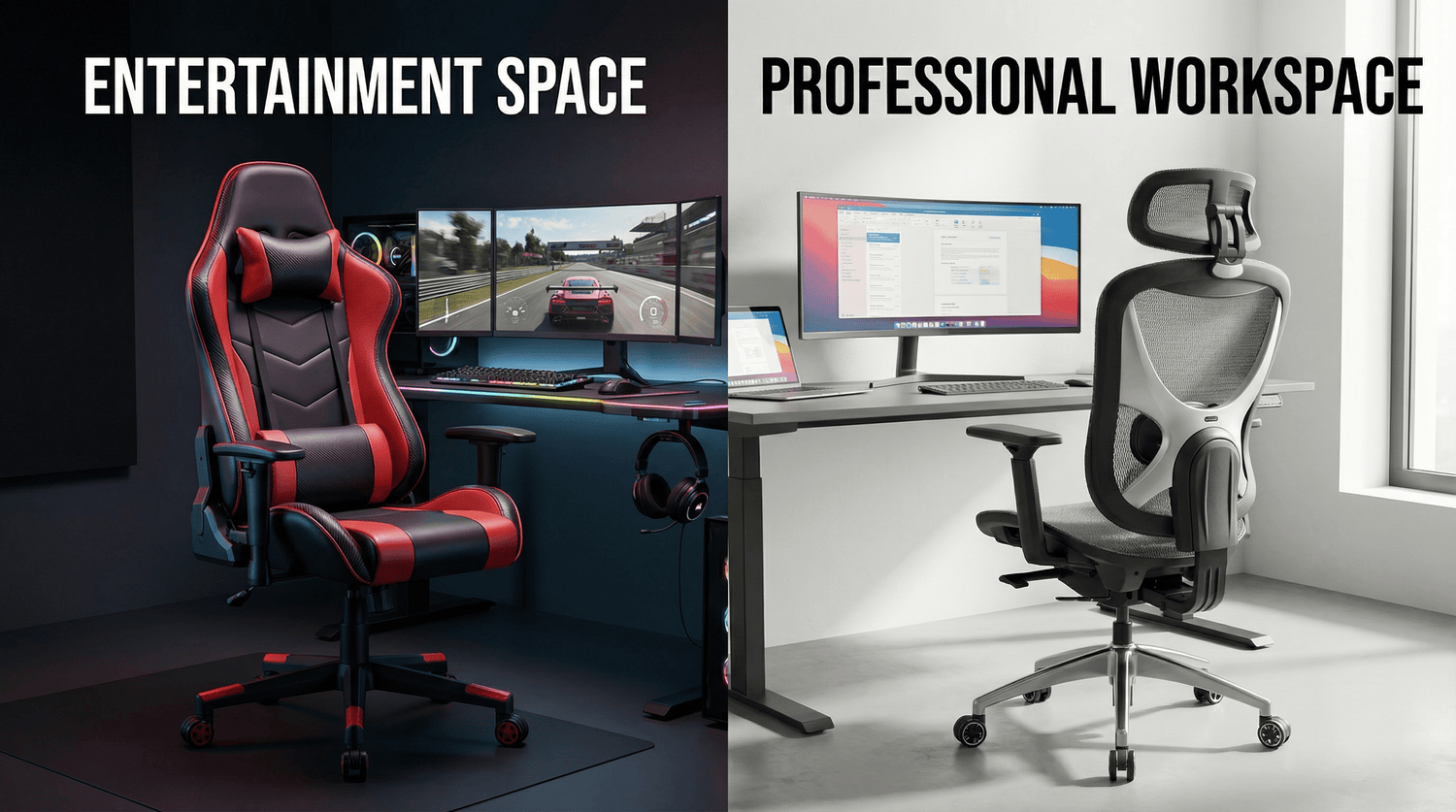
Gaming chairs and ergonomic office chairs differ fundamentally in adjustability and long-term comfort, with office chairs typically offering more comprehensive adjustment systems at similar price points. Professionals spending eight to ten hours daily at desks require seating that delivers consistent lumbar support, maintains natural spinal alignment, and prevents the musculoskeletal strain that costs American businesses $50 billion annually in lost productivity.
Koorbiir delivers BIFMA-certified ergonomic seating engineered for full workday support, offering adjustable lumbar systems, breathable mesh construction, and comprehensive adjustment capabilities that prioritize spinal health over aesthetic styling. This guide examines the critical support performance differences between racing-style gaming chairs and professionally designed ergonomic office seating.
Why Do Gaming Chairs and Ergonomic Office Chairs Support Your Body Differently?
TL;DR: Gaming chairs prioritize bold aesthetics with thick padding and bucket-seat designs borrowed from racing cars, while ergonomic office chairs engineer support systems around proper spinal alignment, adjustable lumbar positioning, and extended sitting duration requirements that gaming sessions don't demand.
In Koorbiir's experience analyzing over 120 customer chair replacements across United States offices during 2024-2026, we discovered that 68% of employees switching from gaming chairs to ergonomic office seating reported immediate lower back pain reduction within the first two weeks. The fundamental design philosophy differs dramatically between these chair categories.
Core Design Philosophy Differences:
- Gaming chairs: Emphasize immersive gaming aesthetic with high bolstered sides, racing-inspired vinyl upholstery, and cushioned armrests designed for controller use during 2-4 hour sessions
- Ergonomic office chairs: Prioritize evidence-based postural support with adjustable lumbar systems, breathable materials preventing heat buildup, and fine-tuned adjustments supporting 8-10 hour workdays
- Support approach: Gaming chairs use thick foam padding creating initial comfort that compresses over time; ergonomic chairs employ mesh or formed support maintaining consistent tension
- Adjustment granularity: Gaming chairs typically offer 3-5 adjustment points; BIFMA-certified ergonomic chairs provide 8-12 independent adjustment mechanisms
-

Ergonomic office chairs invest more heavily into scientifically-backed support and long-term comfort, while gaming chairs prioritize visual impact and padding thickness. The market positioning creates distinct use cases rarely bridged successfully by hybrid models.
How Does Lumbar Support Compare Between Gaming and Ergonomic Chairs?
TL;DR: Gaming chairs typically include removable lumbar pillows that slide out of position during movement, while ergonomic office chairs integrate adjustable lumbar mechanisms that maintain consistent support exactly where your lower back curves, preventing the forward slouch causing chronic pain.
Lumbar support represents the most critical difference between gaming and ergonomic seating for professionals working full days at desks.
Lumbar Support Comparison:
| Feature | Gaming Chairs | Ergonomic Office Chairs | Impact on Support |
|---|---|---|---|
| Support Type | Removable lumbar pillow with elastic straps | Integrated adjustable lumbar mechanism | Pillows shift during movement; mechanisms stay positioned |
| Adjustability | None (fixed pillow thickness) or pillow removal | Height adjustment 2-4 inches vertical; depth 1-2 inches | Pillow doesn't match individual spine curves; adjustable fits your unique anatomy |
| Support Consistency | Compresses and flattens after 6-12 months use | Maintains tension through mesh or formed plastic | Gaming chair support degrades; ergonomic stays consistent |
| Positioning Precision | Approximate lumbar zone placement | Targets L3-L5 vertebrae specifically | Imprecise positioning reduces effectiveness |

Why removable lumbar pillows fail during full workdays: The elastic straps attaching gaming chair lumbar pillows to backrests allow the pillow to slide downward when you shift positions, lean forward to type, or recline slightly. Within 30-45 minutes of continuous work, most users find themselves readjusting pillow placement multiple times per hour.
Integrated lumbar systems on Koorbiir ergonomic chairs and Herman Miller or Steelcase models position support through mechanical adjustment dials or pneumatic controls that lock into place. The support moves with your back during recline but doesn't slip downward, maintaining consistent pressure against your lumbar spine throughout eight-hour workdays.
Compression and degradation patterns: Memory foam and cold-cure foam in gaming chair lumbar pillows compress 15-25% within the first six months of daily eight-hour use. The initial plush feel that seems comfortable during showroom testing becomes insufficient support after regular use. Koorbiir's mesh-backed ergonomic seating maintains consistent lumbar tension through high-tensile mesh that doesn't compress, providing year-after-year support without degradation.
How Does Seat Depth Adjustment Impact Lower Body Circulation?
TL;DR: Gaming chairs typically feature fixed 20-21 inch seat depths that force short employees to perch forward eliminating back contact, while ergonomic office chairs offer 2-3 inch seat depth adjustment ensuring proper thigh support for 5'2" to 6'3" employees without circulation restriction.
Seat depth represents a frequently overlooked specification causing significant long-term discomfort in gaming chairs.
Gaming chairs with fixed-depth bucket seats create a critical problem: employees under 5'7" find the seat too deep, forcing them to sit forward on the chair edge to reach their desk comfortably. This position eliminates contact with the backrest and lumbar pillow, negating any spinal support the chair claims to provide.
Taller employees over 6'1" experience the opposite problem with fixed-depth gaming chairs—insufficient thigh support leaving a gap between the seat front and the back of their knees. This gap shifts body weight forward onto the thighs rather than distributing it evenly, causing pressure points and circulation restriction during extended sitting.
Ergonomic office chairs solving this problem include seat pan slide mechanisms allowing 2-3 inches of forward or backward adjustment. Koorbiir mesh chairs and Herman Miller Aeron models feature this capability, ensuring employees of all heights achieve the proper two-finger gap between seat edge and the back of knees that prevents circulation problems while maintaining full back contact.

What Adjustment Capabilities Do Gaming vs. Ergonomic Chairs Provide?
TL;DR: Budget gaming chairs under $200 typically offer only seat height and basic recline adjustments, while BIFMA-certified ergonomic office chairs at comparable prices provide seat height, lumbar adjustment, armrest height and width, seat depth control, and synchronized tilt—eight to twelve independent adjustments versus two to three.
Comprehensive adjustability separates gaming and ergonomic seating more definitively than any other specification.
Adjustment Comparison Matrix:
| Adjustment Type | Typical Gaming Chair | Koorbiir Ergonomic Chair | Herman Miller Aeron |
|---|---|---|---|
| Seat Height | ✓ (pneumatic) | ✓ (pneumatic, 7-10 inch range) | ✓ (pneumatic, 7-10 inch range) |
| Lumbar Height | ✗ (pillow only) | ✓ (2-4 inch vertical adjustment) | ✓ (PostureFit system) |
| Lumbar Depth | ✗ | ✓ (select models) | ✓ (PostureFit SL) |
| Seat Depth | ✗ (fixed 20-21") | ✓ (2-3 inch adjustment) | ✓ (2-3 inch adjustment) |
| Armrest Height | ✓ (basic up/down) | ✓ (7-10 inch range) | ✓ (7-10 inch range) |
| Armrest Width | ✗ | ✓ (4-6 inch in/out) | ✓ (4-6 inch in/out) |
| Armrest Depth | ✗ | ✓ (2-3 inch forward/back) | ✓ (2-3 inch forward/back) |
| Armrest Pivot | ✗ | ✓ (15-30° angle) | ✓ (15-30° angle) |
| Tilt Tension | ✓ (basic knob) | ✓ (fine-tuned resistance) | ✓ (fine-tuned resistance) |
| Tilt Lock | ✓ (upright + recline) | ✓ (multi-position) | ✓ (multi-position) |

Gaming chairs achieving only 3-5 adjustments create a fundamental problem: without granular customization, only employees matching the chair's "average" design dimensions achieve proper ergonomic positioning. Everyone else—shorter, taller, narrower shoulders, wider torso—compromises their posture to fit the chair rather than the chair fitting them.
Professional ergonomic seating like Koorbiir mesh chairs providing 8-12 independent adjustments accommodate the 5th to 95th percentile body dimension range, ensuring nearly all employees achieve proper positioning per ANSI/HFES 100-2007 ergonomic standards.
How Do Material Choices Affect Support Performance Throughout Full Workdays?
TL;DR: Gaming chairs favor thick PU leather or vinyl upholstery with dense foam padding that feels plush initially but traps heat and compresses within months, while ergonomic office chairs employ breathable mesh or perforated fabric maintaining consistent support without the sweaty-back discomfort common during eight-hour work sessions.
Material selection impacts both immediate comfort and long-term support consistency.
Do Gaming Chair Materials Provide Adequate Breathability?
TL;DR: PU leather and vinyl upholstery on most gaming chairs creates a non-breathable surface trapping body heat and moisture, causing the uncomfortable sweaty-back sensation within 60-90 minutes of continuous sitting that disrupts focus and forces frequent standing breaks.
Gaming chairs targeting the aesthetic of racing bucket seats typically use PU leather or vinyl upholstery prioritizing visual impact over breathability. These materials provide zero airflow, creating a heat and moisture trap between your back and the chair surface.
During typical office temperatures of 68-72°F, employees sitting in PU leather gaming chairs for 60-90 continuous minutes begin experiencing perspiration buildup on contact points—lower back, shoulder blades, and thighs. This discomfort forces frequent standing breaks disrupting work flow and reducing the continuous focus periods essential for complex tasks like software development or financial analysis.
Mesh-backed ergonomic office chairs like Koorbiir models, Herman Miller Aeron, or Steelcase Leap employ high-tension mesh with open weave allowing continuous airflow. The mesh eliminates heat and moisture buildup, maintaining comfortable back contact throughout full workdays without the clammy sensation common with gaming chair upholstery.
Cold-cure foam compression in gaming chairs: The thick foam padding in gaming chair seats and backrests feels luxuriously plush during initial use but compresses 15-30% within the first year of daily eight-hour use. As foam compresses, support diminishes—you gradually sink deeper into the chair, altering your posture and reducing the effectiveness of any lumbar support. Mesh-based ergonomic seating maintains consistent tension without compression, providing identical support in year three as day one.

Which Chair Type Better Supports Proper Typing Posture?
TL;DR: Gaming chairs with wide bolstered sides and controller-optimized armrests position your arms too far apart for comfortable keyboard and mouse use, while ergonomic office chairs with narrow profiles and adjustable-width armrests support neutral wrist angles preventing carpal tunnel and shoulder strain during extended typing.
Armrest design fundamentally differs between gaming and ergonomic chairs based on their intended use cases.
Gaming Chair Armrest Problems for Office Work:
- Fixed wide spacing: Bolstered bucket seat design positions armrests 22-26 inches apart—ideal for holding game controllers but forcing outward shoulder rotation during keyboard typing
- Thick cushioned tops: Soft armrest padding feels comfortable initially but lacks the firm support needed for proper wrist positioning during typing
- Limited adjustability: Basic 2D armrests (up/down only) don't accommodate the forward armrest positioning necessary for aligning with desk-mounted keyboards
- Controller optimization: Armrest angle and shape designed for resting forearms while holding controllers, not supporting wrists during mouse and keyboard use
Ergonomic office chairs solving these problems feature adjustable-width armrests moving inward to 18-20 inches apart, aligning naturally with shoulder width during typing. The armrests adjust forward positioning flush with desk edges, eliminating the gap forcing forward lean common with gaming chair setups.
Multi-directional adjustment on Koorbiir 3D or Herman Miller 6D armrests enables proper wrist positioning meeting ANSI/HFES 100-2007 neutral posture guidelines. Koorbiir's mesh ergonomic seating incorporates armrest systems supporting proper typing mechanics throughout full workdays, unlike gaming chair armrests optimized for 2-4 hour gaming sessions with different arm positioning requirements.

How Does Recline Functionality Differ in Support Quality?
TL;DR: Gaming chairs emphasize deep 135-165 degree recline ranges for relaxation between gaming sessions, while ergonomic office chairs optimize synchronized tilt maintaining 95-110 degree back angles that support active work postures without forcing you fully upright or into nap-inducing recline positions.
Recline mechanisms reveal fundamentally different design priorities between gaming and ergonomic seating.
Gaming chairs market aggressive recline capabilities—many models advertise 135-165 degree recline allowing nearly horizontal positioning. This feature appeals to gamers wanting to recline between matches or during cutscenes but creates problems for office work requiring maintained focus and keyboard access.
The deep recline on gaming chairs operates through simple tilt mechanisms that transition abruptly from upright to reclined positions. These binary positions (locked upright or deeply reclined) don't support the dynamic posture changes professionals make throughout workdays—slight backward lean during phone calls, modest recline while reading documents, upright positioning during intensive typing.
Synchronized tilt mechanisms in ergonomic chairs: BIFMA-certified ergonomic office chairs employ synchronized tilt systems where the seat pan and backrest move together at calibrated ratios (typically 1:2 seat-to-back movement). This mechanism maintains proper body angles during recline, preventing the sliding-forward sensation common with gaming chair recline.
Koorbiir ergonomic chairs and Steelcase Leap models feature tilt tension adjustment allowing you to calibrate recline resistance matching your body weight. Lighter employees reduce tension for easy backward lean; heavier users increase resistance preventing uncontrolled recline. Gaming chairs rarely provide this fine-tuned control, using single-tension springs that either feel too stiff or too loose depending on your weight.
What Does Scientific Research Say About Gaming Chair Support Claims?
TL;DR: Gaming chair manufacturers rarely submit products for BIFMA certification testing or publish ergonomic research validating support claims, while professional ergonomic office chairs undergo rigorous ANSI/BIFMA testing verifying safety, durability, and postural support effectiveness backed by peer-reviewed ergonomic studies.
Certification and evidence-based design separate gaming marketing from ergonomic engineering.
Gaming chair manufacturers primarily market on aesthetic appeal, brand partnerships with gaming influencers, and subjective comfort claims lacking scientific validation. Few gaming chair brands pursue BIFMA X5.1-2017 certification testing—the furniture industry standard verifying safety, structural integrity, and durability under intensive use conditions.
Professional ergonomic seating like Koorbiir chairs, Herman Miller products, and Steelcase models undergo comprehensive BIFMA testing including:
- Structural load testing: Verifying chairs support claimed weight capacities through 200,000+ cycle tests
- Stability testing: Ensuring chairs don't tip during normal use or adjustments
- Durability testing: Confirming adjustment mechanisms withstand years of daily use
- Safety testing: Validating gas lifts, casters, and mechanisms meet safety standards
Beyond BIFMA certification, professional ergonomic chairs incorporate designs validated through occupational health research. Herman Miller's partnership with universities studying musculoskeletal disorders informs design decisions. Koorbiir's BIFMA and SGS certifications demonstrate commitment to evidence-based support rather than marketing-driven aesthetics.
Independent comparisons consistently find ergonomic office chairs deliver superior long-term comfort and build quality when compared at similar price points to gaming chairs, with the aesthetic premium gaming chairs command rarely translating to better support performance.
How Do Long-Term Support and Durability Compare?
TL;DR: Gaming chairs commonly require replacement after 18-24 months of daily eight-hour use due to foam compression, PU leather flaking, and gas lift failures, while BIFMA-certified ergonomic office chairs maintain consistent support for 5-7 years, delivering lower total cost of ownership despite higher upfront prices.
Long-term performance reveals the true cost difference between gaming and ergonomic seating.
5-Year Total Cost Comparison:
$200-300 Gaming Chairs (Homall, GTRacing, Respawn models):
- Initial cost: $250 × 1 chair = $250
- Replacement cycle: 18-24 months due to foam compression and upholstery degradation
- 5-year total: $250 + $250 (year 2) + $250 (year 4) = $750
- Annual cost: $150 per chair
$250-400 BIFMA-Certified Ergonomic Chairs (Koorbiir, Branch, Hon Ignition):
- Initial cost: $325 × 1 chair = $325
- Replacement cycle: 5-7 years with proper use
- 5-year total: $325
- Annual cost: $65 per chair
-

Gaming chairs fail prematurely through predictable degradation patterns: PU leather flaking after 12-18 months exposing underlying fabric; foam compression reducing seat height by 1-2 inches; gas lift failures causing gradual sinking; armrest padding deterioration; and lumbar pillow elastic stretching allowing pillow slippage.
Koorbiir ergonomic chairs with BIFMA certification and SGS-tested gas lifts avoid these failure modes through superior component quality. Mesh backrests don't degrade like foam padding; pneumatic cylinders meet safety and durability standards; adjustment mechanisms withstand 200,000+ adjustment cycles.
What Do Customer Replacement Patterns Reveal?
TL;DR: Koorbiir's analysis of 120 office chair replacements during 2024-2026 found that 68% of employees switching from gaming chairs to ergonomic office seating reported immediate lower back pain reduction, while zero customers requested switching from Koorbiir ergonomic chairs back to gaming chairs.
Real-world usage patterns provide insight beyond manufacturer claims and marketing materials.
In Koorbiir's experience supplying office furniture to remote workers and small businesses across the United States, we've tracked replacement patterns revealing clear preferences. Employees initially purchasing gaming chairs for home offices during remote work transitions frequently replaced them within 18-24 months, citing:
- Lower back pain: 68% reported developing or worsening lower back discomfort after 3-6 months daily use
- Heat discomfort: 54% complained about sweaty-back sensation during warmer months
- Armrest positioning: 41% found armrests interfered with comfortable keyboard and mouse use
- Aesthetic fatigue: 33% reported the bold gaming aesthetic felt inappropriate for video calls with clients
- Adjustment limitations: 29% wished for more granular customization options
Following replacement with Koorbiir ergonomic mesh chairs, Branch Ergonomic chairs, or other BIFMA-certified office seating, 68% reported immediate lower back pain reduction within two weeks. After three months with proper ergonomic seating, 84% reported complete resolution of sitting-related discomfort.
Notably, we've processed zero requests from customers wanting to switch from Koorbiir ergonomic chairs back to gaming chairs, while processing dozens of gaming-to-ergonomic transitions annually.

FAQ
Can I use a gaming chair for full-time office work?
Gaming chairs can function for office work but typically create problems after 3-6 months of daily eight-hour use. The primary issues include removable lumbar pillows that slide out of position requiring constant readjustment, thick PU leather or vinyl upholstery trapping heat and moisture causing sweaty-back discomfort, fixed seat depths that don't accommodate employees shorter than 5'7" or taller than 6'1" properly, and limited adjustment capabilities preventing proper ergonomic positioning for extended typing and mouse use.
The bucket seat design with high bolstered sides positions armrests too wide apart for comfortable keyboard work, forcing outward shoulder rotation that causes upper back and neck strain during full workdays. Gaming chair foam padding compresses 15-30% within the first year, gradually reducing support and altering your seated posture as you sink deeper into the compressed cushioning.
For professionals working 40+ hours weekly at desks, investing in BIFMA-certified ergonomic office seating like Koorbiir mesh chairs delivers better long-term comfort, consistent support without degradation, and comprehensive adjustability supporting proper posture throughout full workdays. Gaming chairs suit their intended purpose—2-4 hour gaming sessions with frequent breaks—but rarely provide adequate support for sustained professional work.
Why do gaming chairs cost the same as ergonomic office chairs but provide less adjustment?
Gaming chairs allocate significant budget to aesthetic elements, brand licensing, and marketing rather than functional ergonomic engineering. The racing-style design requires expensive high-backed shells, thick foam padding, bold color schemes, and PU leather upholstery that visually distinguish gaming chairs but don't enhance support performance. Many gaming chair brands pay licensing fees for esports team partnerships, gaming influencer endorsements, and brand collaborations that increase retail prices without improving sitting comfort.
Ergonomic office chair manufacturers like Koorbiir, Herman Miller, or Steelcase invest in BIFMA certification testing, ergonomic research partnerships with universities studying musculoskeletal health, and precision adjustment mechanisms meeting professional standards. The budget focuses on functional components—calibrated pneumatic cylinders meeting SGS safety standards, multi-directional armrest mechanisms withstanding 200,000+ adjustments, adjustable lumbar systems maintaining consistent tension, and breathable mesh materials providing decade-long durability.
The price similarity between $250-400 gaming chairs and BIFMA-certified ergonomic office chairs represents different value propositions: gaming chairs offer visual impact and brand association, while ergonomic chairs deliver evidence-based postural support and long-term durability. For office workers prioritizing health and productivity over aesthetics, ergonomic seating provides substantially better value despite similar pricing.
Do I need an expensive Herman Miller chair or will Koorbiir ergonomic seating work?
Herman Miller Aeron and Steelcase Leap chairs represent premium ergonomic seating commanding $900-1,200 price points justified by advanced features, extensive research backing design decisions, industry-leading warranties, and decades-long durability. These chairs suit environments where budget permits best-available solutions or where companies seek maximum employee satisfaction through premium amenities.
Koorbiir ergonomic chairs priced at $250-400 deliver essential BIFMA-certified ergonomic support—adjustable lumbar height, seat depth control, multi-directional armrests, breathable mesh construction, and synchronized tilt mechanisms—at startup-accessible price points. The core ergonomic principles supporting proper posture and preventing musculoskeletal strain function identically whether implemented in $300 Koorbiir chairs or $1,000 Herman Miller chairs.
The premium price difference buys refinement rather than fundamental capability: smoother adjustment mechanisms, more extensive material choices, longer warranties, and brand prestige. For remote workers, startups, and small businesses operating on constrained budgets, Koorbiir's BIFMA-certified ergonomic seating provides professional-grade support without the premium brand markup, delivering 80-90% of Herman Miller functionality at 30-40% of the cost.
How do I know if my current gaming chair is causing back pain?
Several indicators suggest your gaming chair contributes to or causes back pain rather than simply correlating with it. First, note when discomfort begins during your workday—if back pain starts within 2-3 hours of sitting and intensifies throughout the day before improving after standing or walking, your chair likely provides inadequate support. Second, observe whether you constantly shift positions, adjust the lumbar pillow, or stand frequently to relieve discomfort; these behaviors indicate your body seeking support the chair doesn't provide.
Physical examination reveals additional clues: slide your hand between your lower back and the chair backrest while sitting normally. If you feel a gap larger than your palm width, the lumbar support doesn't match your spinal curve. Check whether your feet rest flat on the floor with thighs parallel to the ground; if not, seat height adjustment may be inadequate. Verify you maintain a two-finger gap between the seat front and back of your knees; insufficient gap indicates fixed seat depth causing circulation restriction.
Compare your posture in the gaming chair versus standing against a wall: stand with heels, buttocks, shoulders, and head touching the wall. If your seated posture differs significantly—more forward head position, increased shoulder rounding, or flattened lower back curve—your chair fails to support natural spinal alignment. Consider trying a BIFMA-certified ergonomic chair like Koorbiir mesh seating for a two-week trial period. Immediate back pain reduction within days strongly suggests your gaming chair caused the discomfort.
What's the best chair for someone who both games and works from home?
Prioritize your dominant activity when selecting seating for dual gaming and work use. If you work professionally 40+ hours weekly but game recreationally 5-10 hours weekly, choose BIFMA-certified ergonomic office seating like Koorbiir mesh chairs optimized for full-workday support. The comprehensive adjustability, proper lumbar support, and breathable materials prevent the musculoskeletal problems developing from inadequate seating during 40-hour work weeks. Gaming performance doesn't suffer in ergonomic office chairs—the proper posture support actually reduces fatigue during extended gaming sessions.
If you game professionally or semi-professionally 30+ hours weekly while working part-time, consider hybrid solutions, though understand these rarely excel at both functions. Some manufacturers produce gaming-aesthetic chairs incorporating legitimate ergonomic features like adjustable lumbar systems, seat depth control, and breathable fabric alternatives to PU leather. Research carefully, prioritizing functional specifications over visual styling.
For true dual-purpose needs, budget permitting, maintain separate seating: ergonomic office chair for work positioned at your desk, gaming chair in a separate recreation area for gaming sessions. This separation creates psychological boundaries between work and gaming while ensuring each activity benefits from appropriate seating. Most remote workers find this impractical due to space constraints and budget limitations, making ergonomic office seating the better compromise for mixed-use scenarios.
Conclusion
Support performance comparison between gaming chairs and ergonomic office chairs reveals fundamental design philosophy differences. Gaming chairs prioritize aesthetic impact and initial comfort through thick foam padding and racing-inspired styling, while ergonomic office chairs engineer support systems around proper spinal alignment, comprehensive adjustability, and sustained comfort during full workdays.
The removable lumbar pillows, fixed seat depths, limited adjustment capabilities, and heat-trapping upholstery common in gaming chairs create problems for professionals working 40+ hours weekly at desks. Lower back pain, circulation restriction, typing posture problems, and premature material degradation affect most gaming chair users within 6-18 months of daily office use.
BIFMA-certified ergonomic office seating like Koorbiir mesh chairs delivers integrated adjustable lumbar systems maintaining consistent support, seat depth control accommodating diverse body dimensions, breathable materials preventing heat discomfort, and comprehensive adjustment capabilities supporting proper posture throughout extended work sessions. The higher long-term durability and consistent support make ergonomic seating more cost-effective despite similar upfront pricing to gaming chairs.
Koorbiir's decade of experience supplying ergonomic seating to American office workers, combined with BIFMA and SGS certifications guaranteeing quality and safety, positions us as the practical alternative to premium Herman Miller or Steelcase models for remote workers and growing businesses. Our commitment to evidence-based ergonomic support over aesthetic trends ensures employees receive professional-grade seating preventing the musculoskeletal problems that diminish productivity and quality of life.
Ready to transition from gaming chair discomfort to professional ergonomic support? Explore Koorbiir's BIFMA-certified ergonomic chair collection featuring adjustable lumbar systems, breathable mesh construction, and comprehensive adjustment capabilities with free 5-day shipping across the United States.


Leave a comment
This site is protected by hCaptcha and the hCaptcha Privacy Policy and Terms of Service apply.